How do I purchase a registration?
⏱︎ 2 minutes
Buying a registration is a similar process to buying anything else, except you will also need to answer the registration questions.
First, log in to your account or sign in to your existing account via the person icon on the top right.
To purchase a registration, you will need to be signed in to a login account.
1. Select the line item from the online box office, and the date if necessary.
2.Your next screen may look different depending on the type of registration the organization is selling. Look at options A, B, and C, below, then follow the steps that match the type of registration you are purchasing.
A. If your next screen looks like this:
Continue with these steps
Click ADD REGISTRANT.
a. Enter registrant information or select from a past registrant.
c. Choose your Ticket Type.
d. Click ADD TO CART.
e. repeat a-d for as many registrants as needed.
d. click CONTINUE.
Now, continue to step 3.
B. If your next screen looks like this:
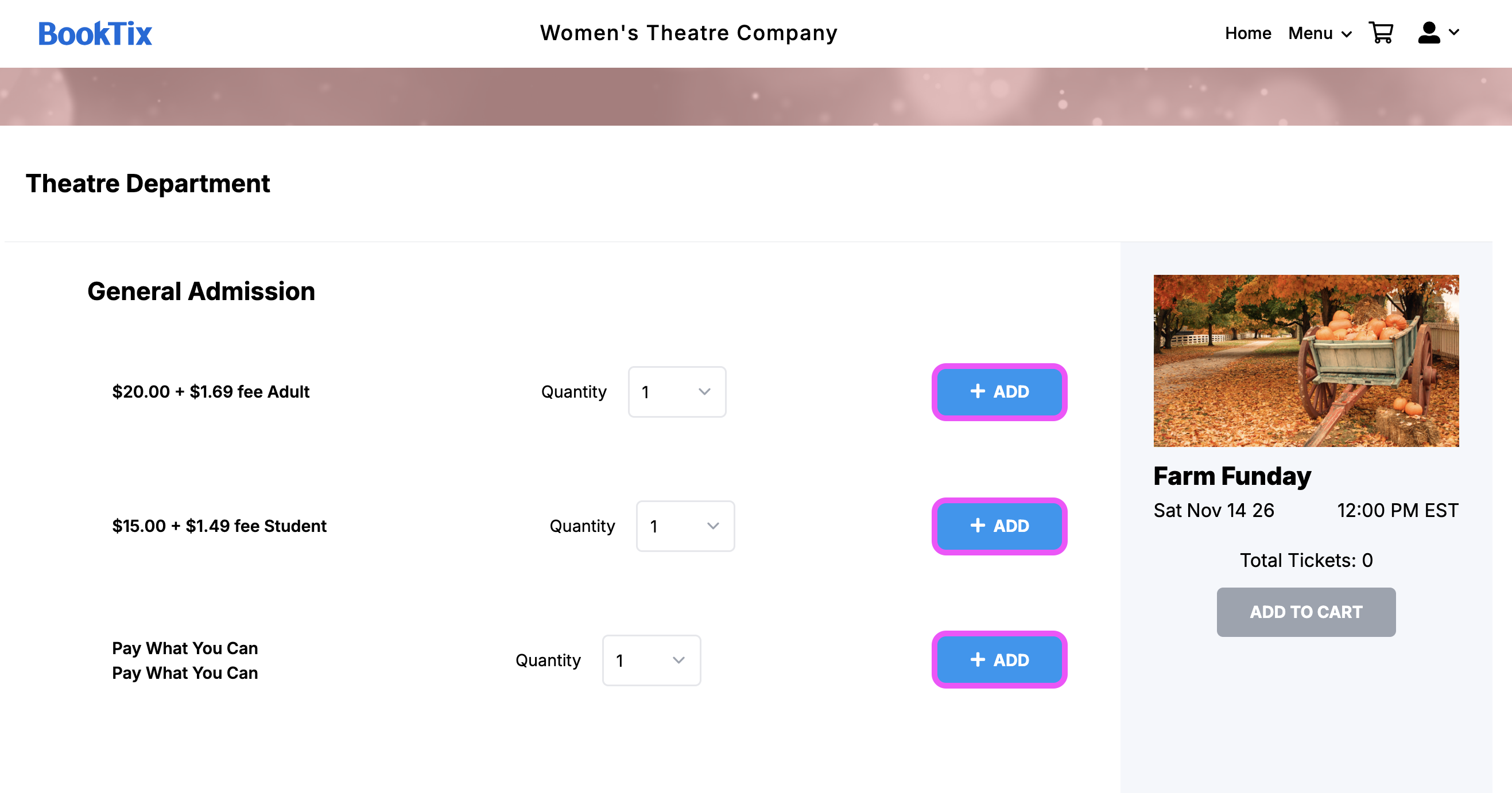
Continue with these steps
a. Select as many registration tickets as needed by clicking +ADD.
d. Click ADD TO CART.
Now, continue to step 3.
C. If your next screen looks like this:
Continue with these steps
a. Select seats.
b. Click ADD TO CART.
In some cases, this will bring you to answer registration questions. If so, continue to step 3 and ignore the steps below.
If you are being asked to add a registrant, follow along with the rest of this tab before moving to step 3.
c. Click ADD REGISTRANT next to each seat.
d. Enter registrant information or select from a past registrant and click SAVE REGISTRANT.
e. When each seat has a registrant assigned, click ADD TO CART.
Now, continue to step 3.
3. From the registration section, enter each individual form to answer the questions.
a. Answer order questions (the questions for the entire party).
- Click ANSWER NOW to see the order level questions.
- Click SAVE ANSWERS when complete.
b. Answer the registrant questions (the questions for each specific registrant).
- Click ANSWER NOW to see the order level questions.
- Click SAVE ANSWERS when complete.

Some registration forms will only have order questions or registrant questions!
4. When all required questions are answered, click CONTINUE TO CART.
5. Click CHECKOUT.
6. Enter the purchase information, including Contact Information, any Additional Information, the Delivery Method, and the Payment Information.
7. Click CHECKOUT.
And the order is complete!